Stream Tools
Gift effects
Add free TikTok LIVE gift effects in Livecade, with Gift FX animations, a like fountain, gift fireworks, a share plane and a follow balloon.
Updated
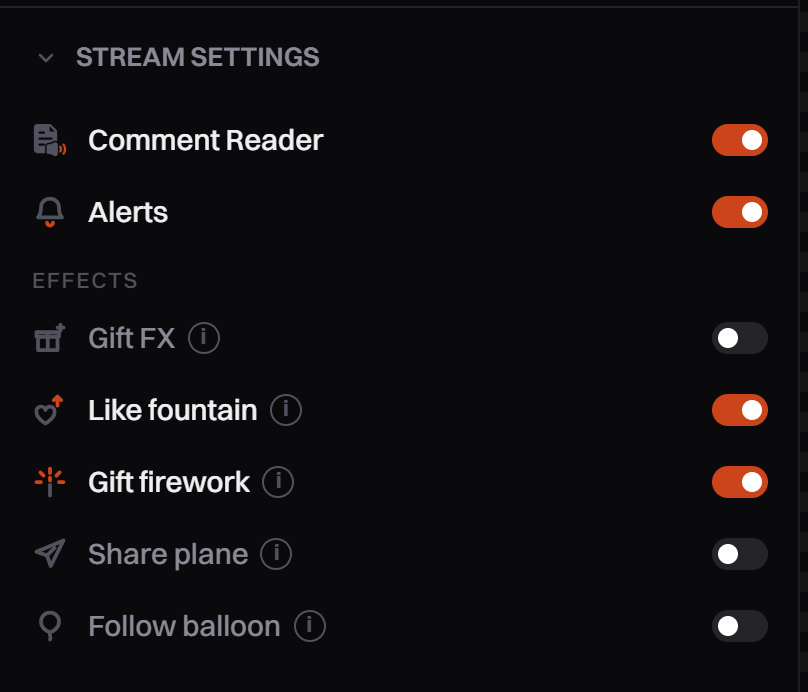
Effects are animations that play over your game when viewers like, share, follow and send gifts. There are five, all free: Gift FX, Like fountain, Gift firework, Share plane and Follow balloon. Every effect starts off.
Where to find it
In the left panel, open Stream Settings. Under Effects each effect has its own row, switch and gear. You can also open Settings from your account menu and pick Effects.
Set it up
-
Open Settings, Effects.
-
Click the effect's tab, for example Gift firework.
-
Turn on the switch next to its name. While it is off, the preview still shows how it will look.
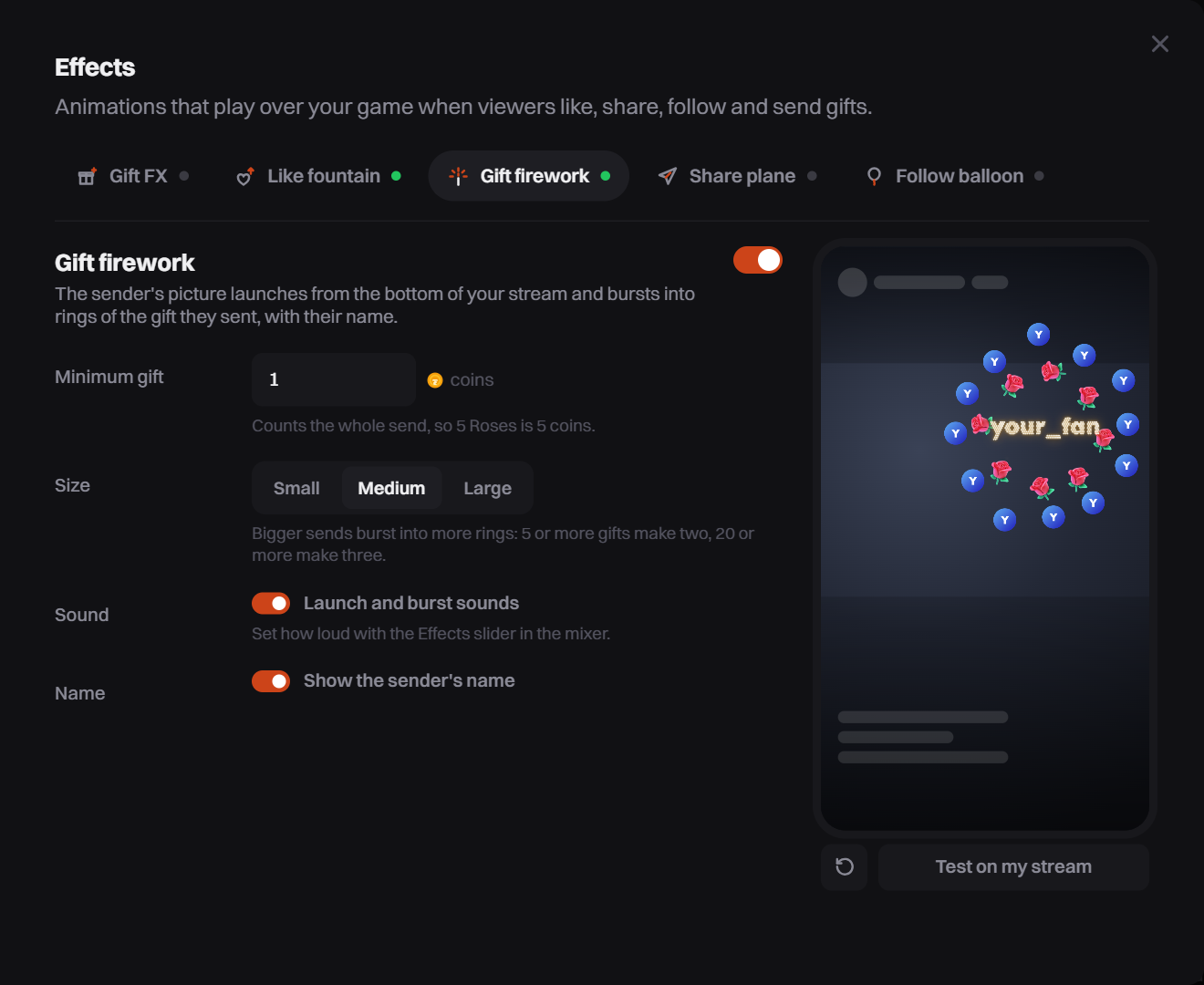
The open effect's settings sit beside a preview of your stream. -
Change its settings. The preview updates as you go.
-
Click Test on my stream to play a sample on your overlay. It plays even while the effect is off.
Gift FX
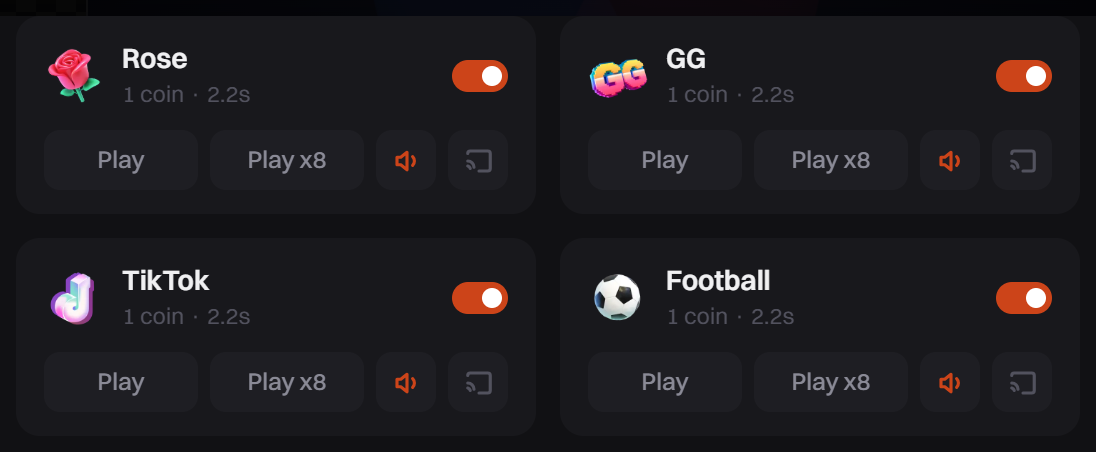
Gift FX has a card for each gift instead of settings.
- Open the Gift FX tab and turn on its switch.
- On each card, use the switch to turn that gift on or off.
- Click Play or Play x8 to see it in the preview. The speaker button turns the gift's sound on or off.
- Click the screen button to send the animation to your stream.
Options
The five effects
| Effect | What plays |
|---|---|
| Gift FX | A full-screen animation for 15 cheap gifts (1 to 30 coins), such as Rose, GG, Heart Me, Finger Heart, Perfume and Doughnut. TikTok only animates expensive gifts, so these get the same moment. |
| Like fountain | Hearts float up from the bottom as viewers like, with the liker's picture among them. No sound. |
| Gift firework | The sender's picture launches from the bottom and bursts into rings of their gift, with their name in the middle. |
| Share plane | The viewer who shares rides a paper plane across the bottom of your stream and loops once. |
| Follow balloon | The new follower's picture floats up one side of your stream on a balloon. |
Settings per effect
| Effect | Setting | What it does |
|---|---|---|
| Like fountain | Where hearts start | Anywhere gives each viewer their own spot along the bottom. Left, Middle or Right puts every heart in one column. |
| Like fountain | How many hearts | A few, Some or Lots per like. |
| Like fountain | Viewer pictures | Show or hide the picture of who liked. |
| Gift firework | Minimum gift | Smaller gifts get no firework. It counts the whole send, so 5 Roses is 5 coins. |
| Gift firework | Name | Show or hide the sender's name. |
| Share plane | Trail | Swooshes, Paper scraps, Both or None. |
| All but Gift FX | Size | Small, Medium or Large. |
| Firework, plane, balloon | Sound | Turn the effect's sound on or off. |
The Effects slider in the Mixer (the speaker button at the top of the right panel) sets how loud every effect is. See Audio mixer and music.
Bigger gifts, bigger moments
- Gift firework: a send of 5 or more gifts bursts into two rings, 20 or more into three.
- Gift FX: a send of several gifts plays one animation per gift, a moment apart, so a Rose x10 blooms ten roses. A streak plays as it builds. Animations overlap instead of waiting in line, and only one in every 700 ms plays its sound.
- Share plane and Follow balloon: shares or follows that arrive together fly as one formation or rise as one bunch.
- For expensive gifts, give them their own alert with a gift variation. See Set up alerts.
Tips
- Like fountain hearts fade out in the bottom third of the screen, so they stay below most of your game.
- Gift FX and the gift firework can both run. A Rose then plays its animation and a firework.
Common problems
Gift FX is on but nothing plays
Gift FX only plays for the gifts that have a card. If every card is switched off, a warning shows on the tab and on the left panel row. Turn at least one gift on.
The Gift FX preview shows a message instead of the animation
Safari, and every browser on an iPhone or iPad, cannot play transparent video, so the preview shows a message instead. Your stream is not affected. Open the dashboard in Chrome, Edge or Firefox to see the preview.
"No overlay connected" when I test
The test plays on your overlay. Open it in your streaming app, or open a game so the dashboard preview loads it.
I don't hear the firework, plane or balloon
Check the effect's Sound switch, then the Effects slider in the Mixer.