Games & Triggers
Set up Action Triggers
Choose what TikTok LIVE gifts, likes, comments, follows, shares and joins do in your Livecade game, and test each trigger before you go live.
Updated
Action Triggers decide what happens in the game when a viewer comments, sends a gift, likes, follows, shares or joins your LIVE. Every game comes with ready-made triggers, and you can change all of them.
Where to find it
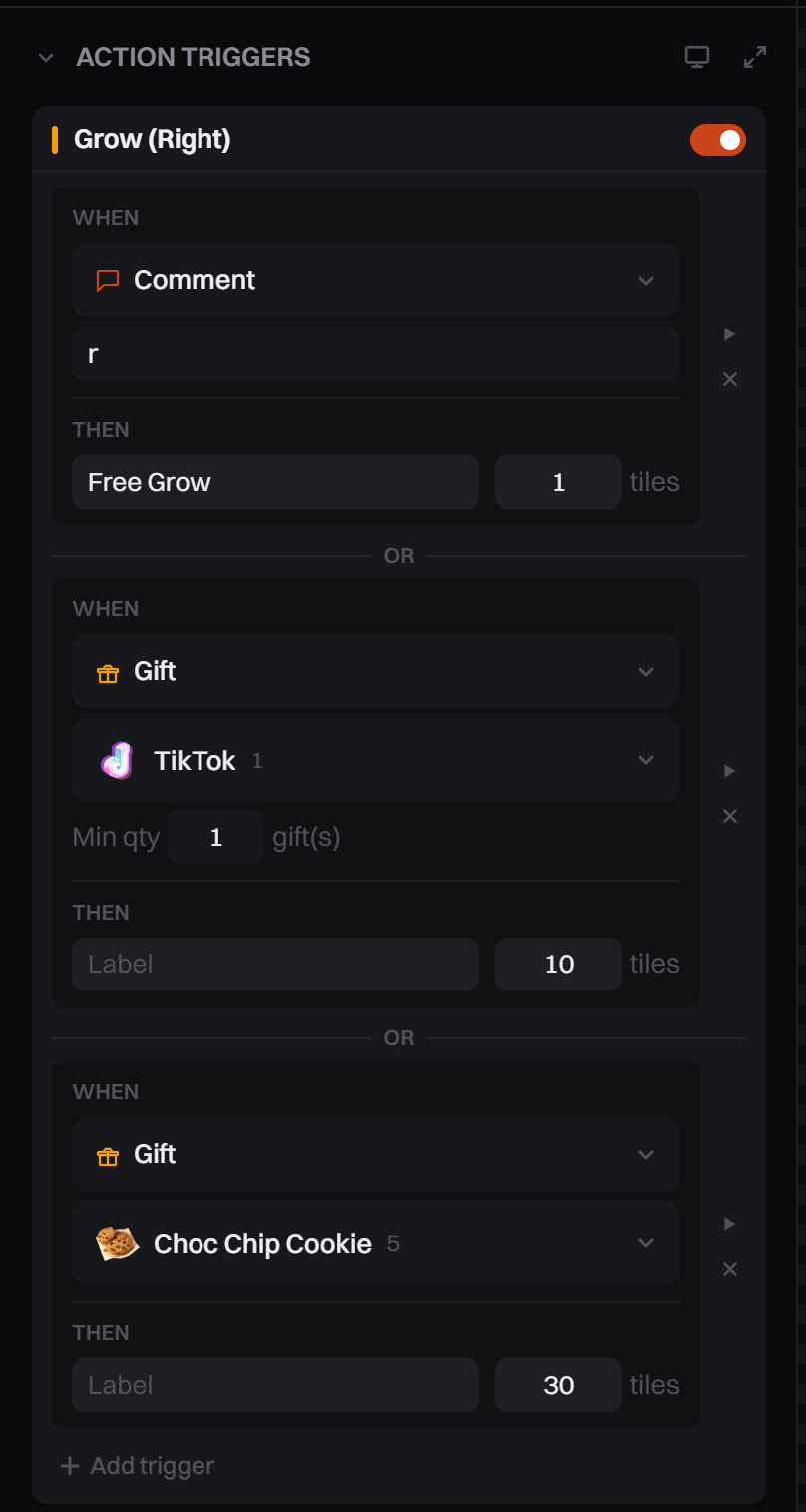
Open a game: click its tile on the dashboard home. In the left panel, under the game's name, open Action Triggers. To edit in a bigger window, click the expand icon in the section header (tooltip Expand triggers).
Set it up
Each game has its own list of actions, like Push Horse in Horse Race. Under each action are rows. A row has two parts: WHEN (what the viewer does) and THEN (how many times the action runs). Rows under one action are joined by OR, so any one of them runs the action.
Change a trigger
- Find the action you want to change.
- In WHEN, pick Comment, Gift, Like, Follow, Share or Join.
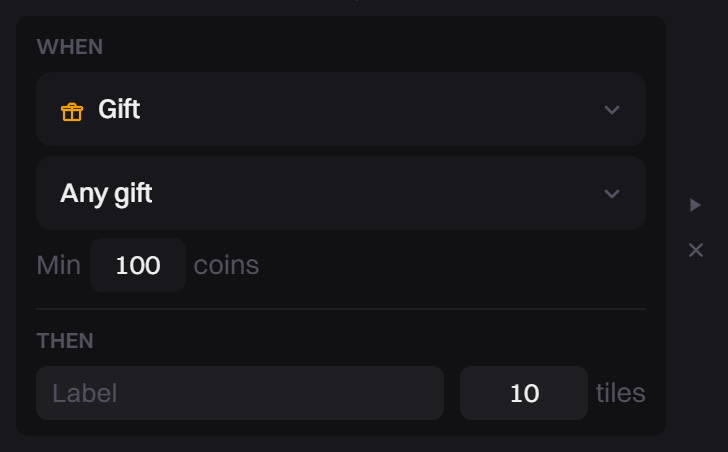
- Fill in the condition: the keyword, the gift, the coins or the likes (see Options).
- In THEN, set the × box to how many times the action runs each time. Gift rows have no × box.
- Wait a moment. Changes save on their own, and a Triggers saved message confirms it.
If the game is running, the change works right away. You don't need to restart.
Add, remove or turn off
- To add a row, click Add trigger under the action. Most actions take up to 5 rows.
- To remove a row, click the small x at its right (tooltip Remove trigger). The last row of an action can't be removed.
- To stop an action completely, use the switch next to its name. It stops running and also leaves the on-screen Trigger HUD.
Country rows (Horse Race)
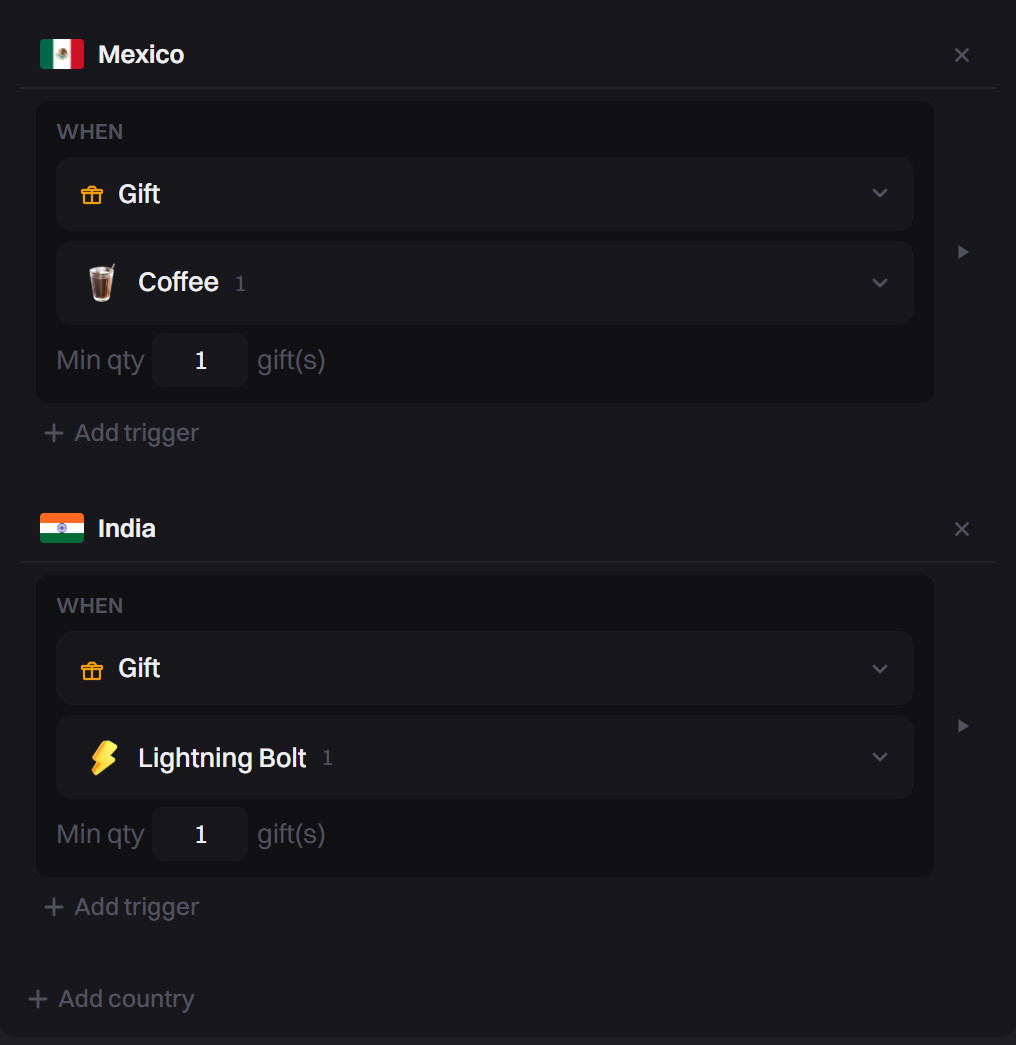
In Horse Race, the Push Horse action is grouped by country. MMA Clash works the same way.
- Click Add country and pick a country from the list.
- Under that country, click Add trigger and pick a gift.
- To remove a country, click the x next to its name.
Horse Race races up to 10 countries: only the first 10 in the list race.
Test a row
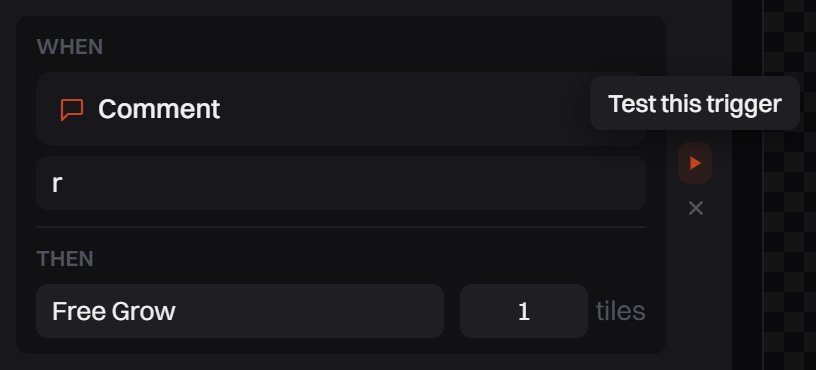
Each row has a small play button (tooltip Test this trigger). It works while the game is running. Click it to send one test event that matches the row, so you see the action happen without a viewer. For the Live Simulator and other ways to test, see Test your game before you go live.
Options
| WHEN | What you set |
|---|---|
| Comment | A keyword. The row runs when a comment contains that word. Capital letters don't matter. Leave the box empty to run on any comment. |
| Gift | One gift from the list, or Any gift. With Any gift, set Min coins: Min 100 means any send worth 100 coins or more. For a 1-coin gift you can set Min qty, the number of that gift in one combo. |
| Like | Every N likes. |
| Follow, Share, Join | Nothing to set. Join means a viewer enters your LIVE. |
Tips
- Comment and like rows let every viewer take part, not only people who send gifts.
- Use short, simple keywords. One word is easiest for viewers to type.
- Triggers save per game. Changing them in one game never changes another game.
Common problems
A gift shows in chat but nothing happens in the game
- The game is paused. A Game paused bar shows above the preview. A paused game ignores everything viewers do. Click Resume game.
- TikTok is not connected. Real gifts arrive only after you go LIVE on TikTok and click Connect TikTok. See Start a Live Session.
- No row matches that gift. Add a row for it, or use Any gift.
- The action is switched off, or Who can play is set to Followers only in Game settings.
Likes don't do anything
The game has no Like row. Click Add trigger, set WHEN to Like, and set Every N likes.
I only have two actions to choose from
Each game decides its own actions, and you can't add new ones. You can give any action a different trigger and more rows. AI Host is the one exception: it has a New action button (Pro).