Stream Tools
Audio mixer and music
Balance game sound, music, voice and alerts with the Livecade Mixer, run a music playlist on TikTok LIVE, and fix echo or silent audio.
Updated
The Mixer sets how loud each kind of sound is on your overlay. The Music tab runs the background music for the game you are playing, as a playlist you can change.
Where to find it
- Mixer: the speaker button at the top of the right panel (tooltip Mixer).
- Music: the Music tab in the right panel, next to Sounds and GIFs. It shows only for games that have background music.
Set it up
Balance your sound
- Open a game.
- Click the speaker button (Mixer).
- Drag a slider. Point at a slider's name to see what it controls.
- Click the speaker icon next to a slider to mute just that sound. Turn on Mute all to silence everything.
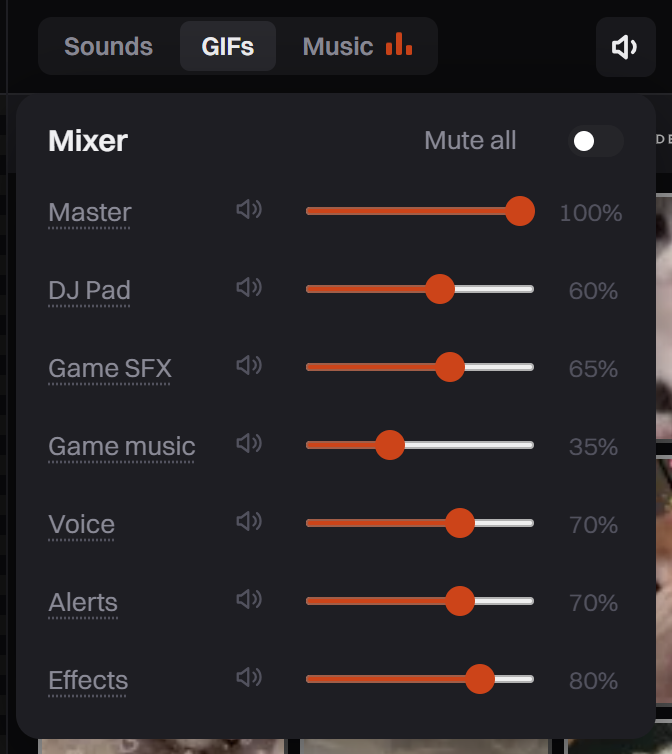
The Mixer changes the sound everywhere your overlay runs: OBS, the dashboard preview and your stream. Changes apply right away.
Game SFX, Game music, Voice, Alerts and Effects stay grey until you open a game. Master and DJ Pad work before that, so you can test pads. Effects also stays grey while no effect with sound is turned on.
Run your music
-
Open a game that has a Music tab. Its default tracks start playing by themselves.
-
Click Music. The player at the top has previous, play or pause, next, stop and a seek bar.
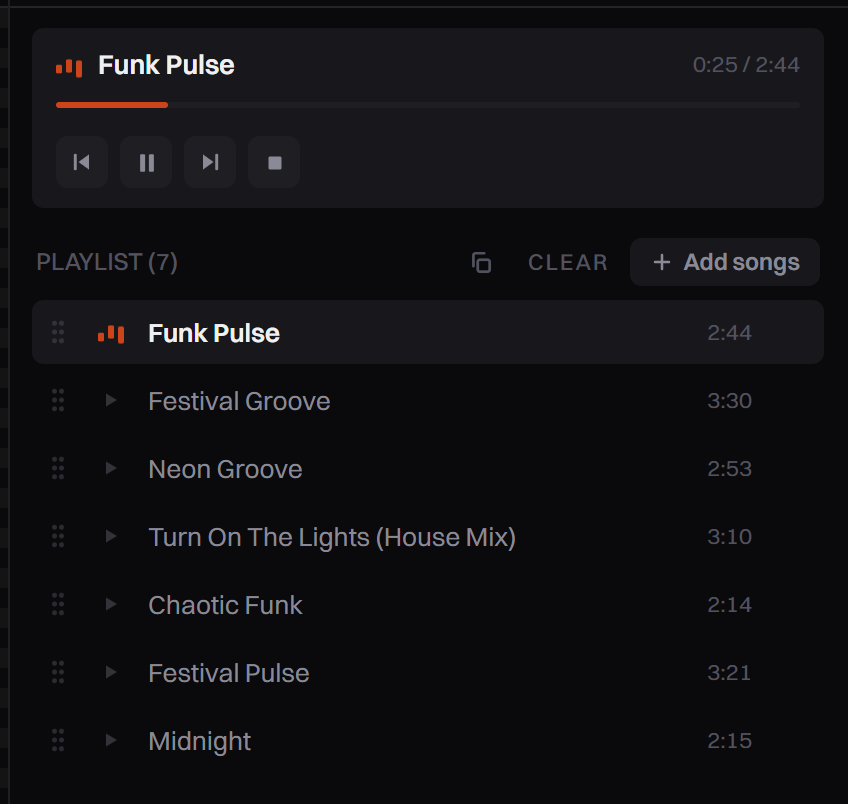
The player and the playlist. Drag a row to change the order. -
Click Add songs.
-
Choose AI Search or My Library.
-
Click a track's play button to hear it on your computer only. Click its add button to put it in the playlist.
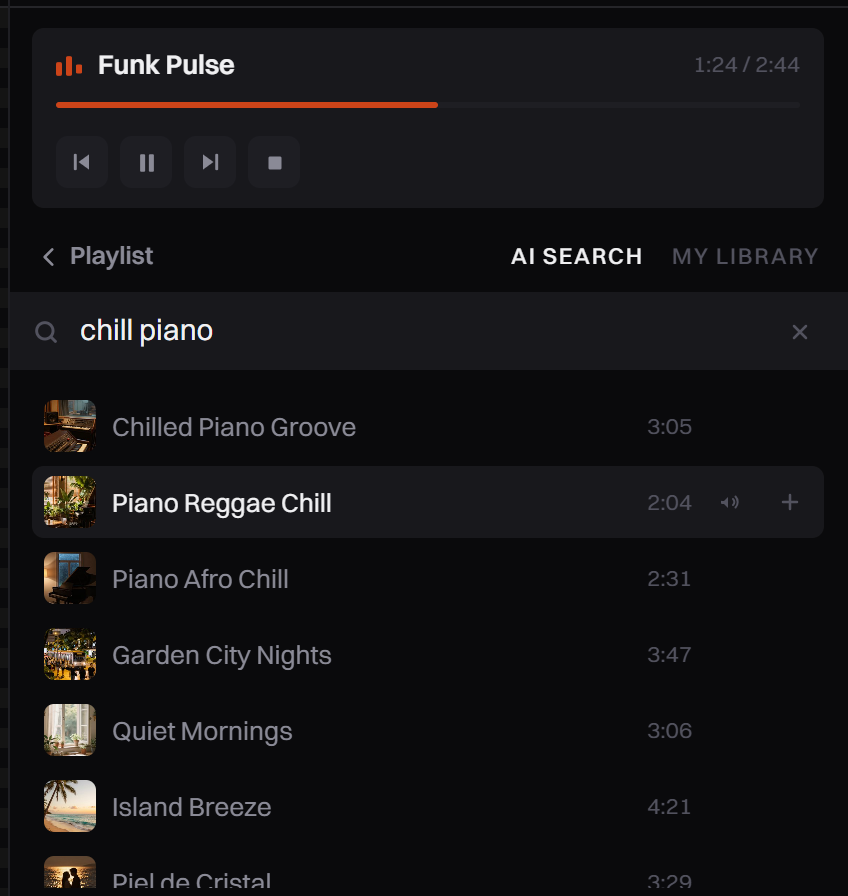
Preview first. Only tracks you add play on stream. -
Click Playlist to go back.
The playlist loops, so the music never stops. AI Search searches a catalog of music made with AI. It does not create new music and does not use AI credits.
Upload your own music
- Click Add songs, then My Library.
- Click Upload MP3 and pick a file.
- Click the add button next to it.
You are responsible for the rights to music you upload. TikTok can mute or restrict a LIVE that plays copyrighted songs.
Use a playlist in another game
Each game keeps its own playlist, saved for next time. Click the copy button next to Add songs (tooltip: Copy a playlist, or restore this game's own tracks). Choose another game to copy its playlist, or Default tracks to get this game's own music back.
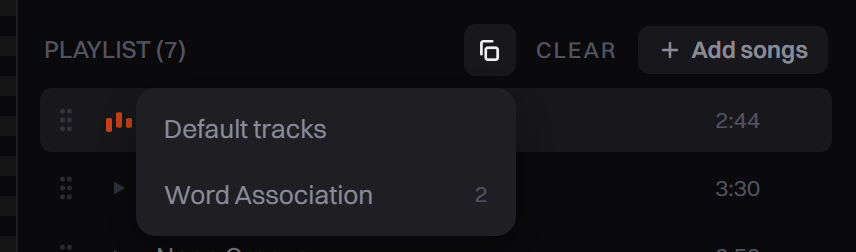
Options
| Slider | What it controls | Starts at |
|---|---|---|
| Master | Every sound on your overlay | 100% |
| DJ Pad | Sounds you play from the DJ Pad | 60% |
| Game SFX | The game's sound effects | 65% |
| Game music | The game's background music, including the Music tab | 35% |
| Voice | Everything spoken: the Comment Reader, alert callouts, shoutouts, game narration and AI Host | 70% |
| Alerts | Alert sounds and the shoutout chime | 70% |
| Effects | The sound of the gift effects | 80% |
Music limits: MP3 only, up to 40 MB and 15 minutes per track, 100 tracks in My Library, 50 tracks in a playlist.
Tips
- Game music starts quiet, at 35%. Raise Game music if your playlist is hard to hear.
- Dance Floor comes with 7 default tracks. Most other games come with one theme track.
- OBS has its own volume for the overlay source, and Control audio via OBS must be checked. See Connect to TikTok Live Studio.
Common problems
I hear everything twice (echo)
Your dashboard preview plays the overlay too, so you hear it from the dashboard and from your streaming app. Right-click the dashboard browser tab and choose Mute site. Do not use the Mixer for this: it changes your stream as well.
If you go live by capturing that browser window, see Go live with screen capture instead.
The AI Host or the Comment Reader is silent
Open the Mixer and check Voice and Master. If either is at 0, or Mute all is on, nothing spoken plays. The speaker button shows a muted icon when Master is at 0 or Mute all is on.
Music plays in the Music tab but not on stream
The Music tab shows a track playing even when Game music is at 0. Raise Game music. If it is up, check your overlay source in OBS: see No Sound on Stream.
Music I did not add is playing
Those are the game's default tracks. Pause or stop them in the Music tab, or click Clear to empty the playlist. An empty playlist stays silent until you add tracks.
No sound in the dashboard preview
Click Tap to enable sound on the preview. Browsers keep a page silent until you click it once.