Stream Tools
DJ Pad: sounds and GIFs on demand
Use the Livecade DJ Pad for TikTok LIVE sound alerts: play sounds and GIFs on stream, add sounds, and play one by itself when a gift arrives.
Updated
The DJ Pad is a grid of sound buttons in your dashboard. Click a pad and the sound plays on your overlay, so it goes out on your stream. A second tab shows GIFs on screen.
Where to find it
- Pads: the Sounds tab at the top of the right panel. GIFs is the tab next to it.
- Your sound list: click the gear (DJ Pad settings) in the right panel header, or open Settings, then DJ Pad Library.
Set it up
Play a sound
-
Open a game.
-
In the right panel, click Sounds.
-
Click a pad. A bar runs across the pad while the sound plays.
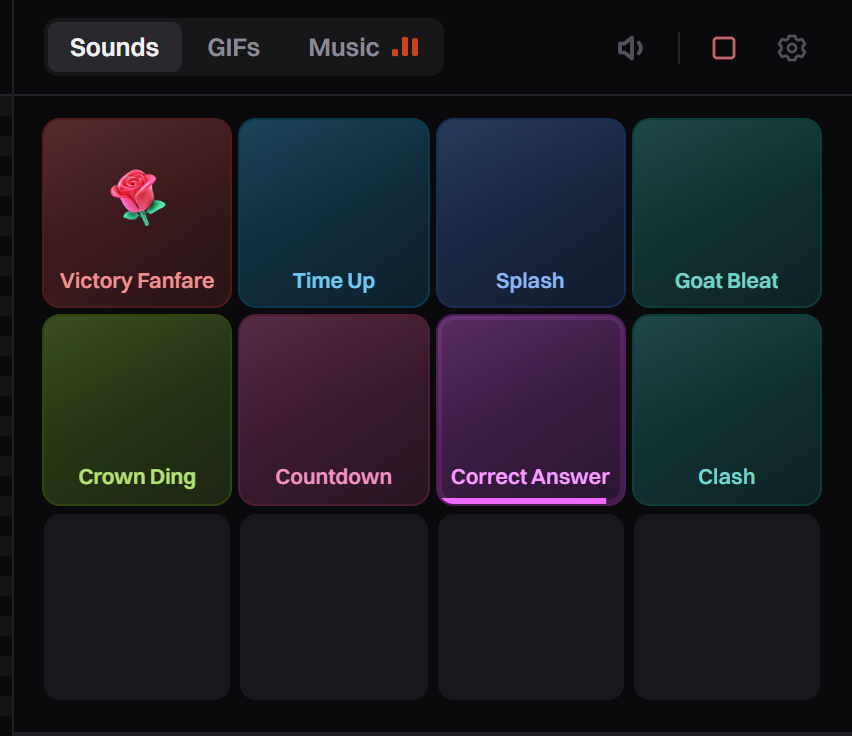
The pad grid. A small icon on a pad means it also plays by itself.
Before you open a game, a pad plays only in your dashboard. Use this to test sounds privately.
Add sounds
-
Click the gear (DJ Pad settings) in the right panel header. DJ Pad Library opens.
-
Choose how to add a sound:
- Search sounds: browse the sound library. Click a sound to hear it, then click its add button.
- + Upload sound: an MP3, OGG or WAV file from your computer, up to 5 MB.
- + Add by URL: paste a direct link to an MP3, OGG or WAV file, then click + Add.
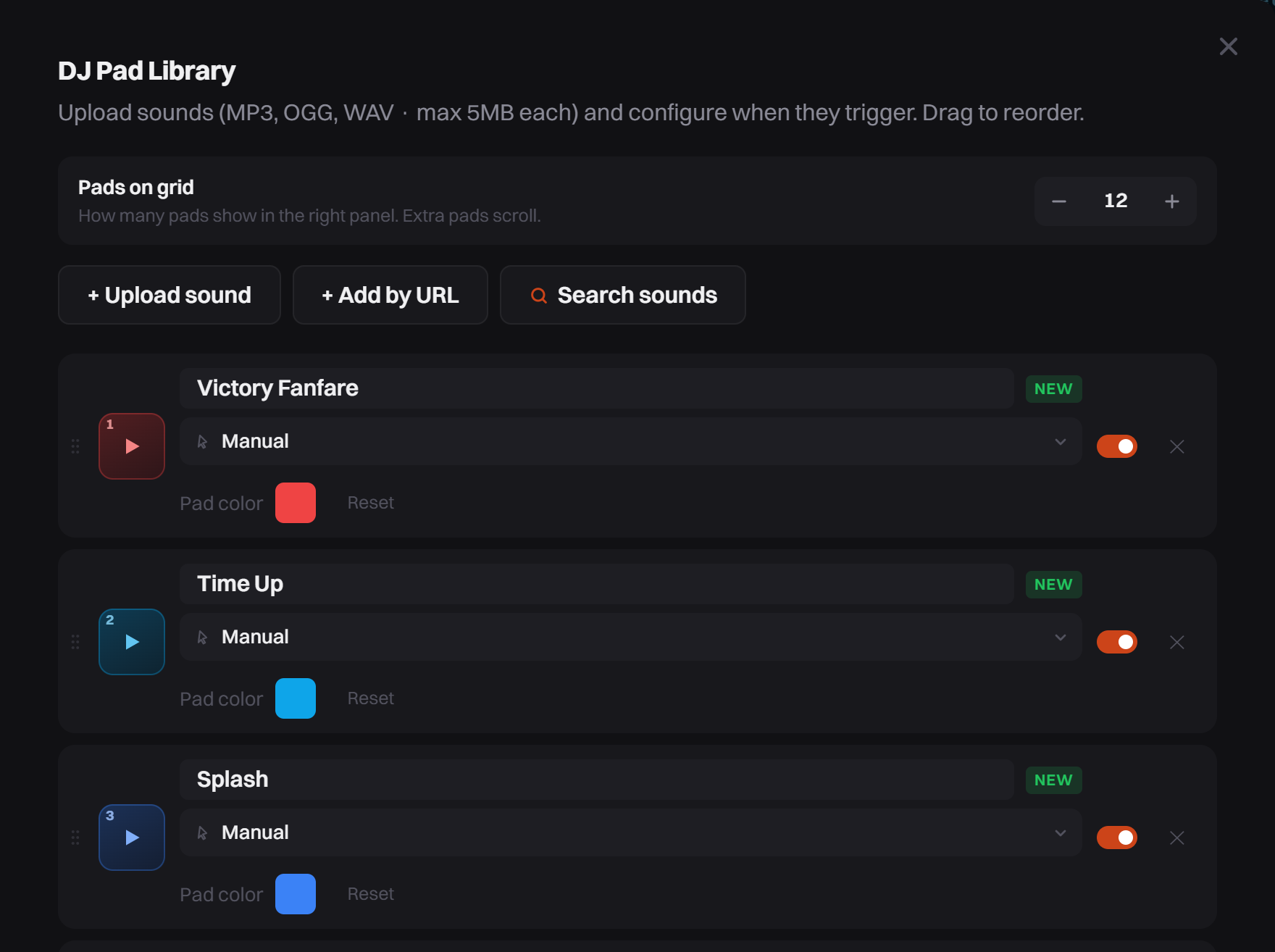
The three ways to add a sound, above your list of sounds. -
New sounds go to the top of your list. Drag a sound by its handle to change its place on the pad.
New accounts start with a few default sounds. They are normal sounds: rename, change or delete them.
Play a sound by itself
There are two ways.
From the DJ Pad Library. Each sound has a trigger menu set to Manual. Change it, then click Save:
- Comment keyword: plays when a comment contains the word you type.
- Gift: pick one gift, or keep Any gift and set Min coins.
- Follow event, Share event or Join event.
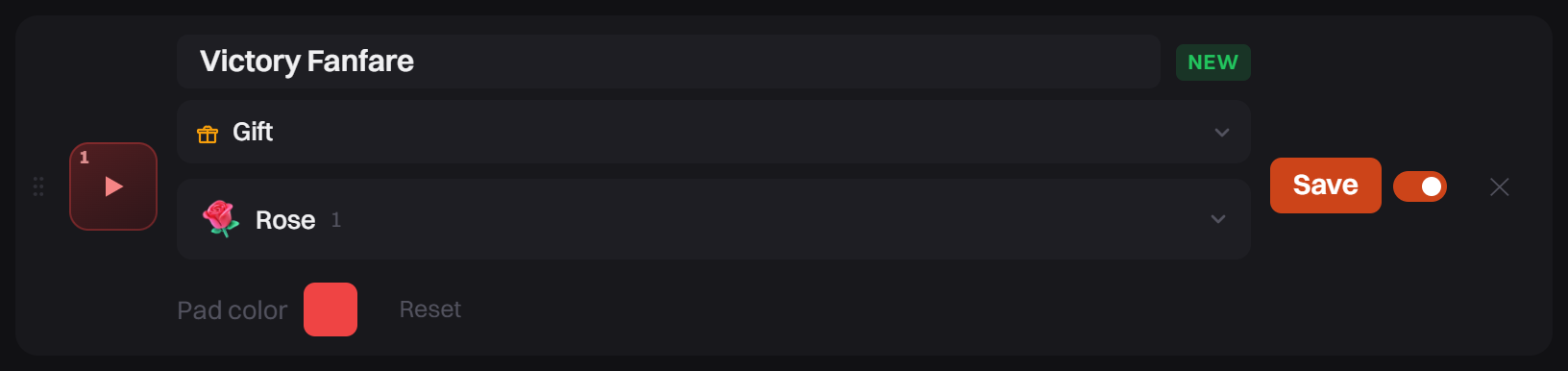
From an alert. In alerts, pick an alert tab such as Gift and choose a sound in Sound. The sound plays together with the alert card. Alerts must be on.
A pad trigger plays at once. An alert sound waits for its alert, so sound and card stay together.
Show a GIF
-
Open a game.
-
In the right panel, click GIFs.
-
Type a word in Search KLIPY.
-
Click a GIF. It shows in the middle of your overlay for about 5 seconds.
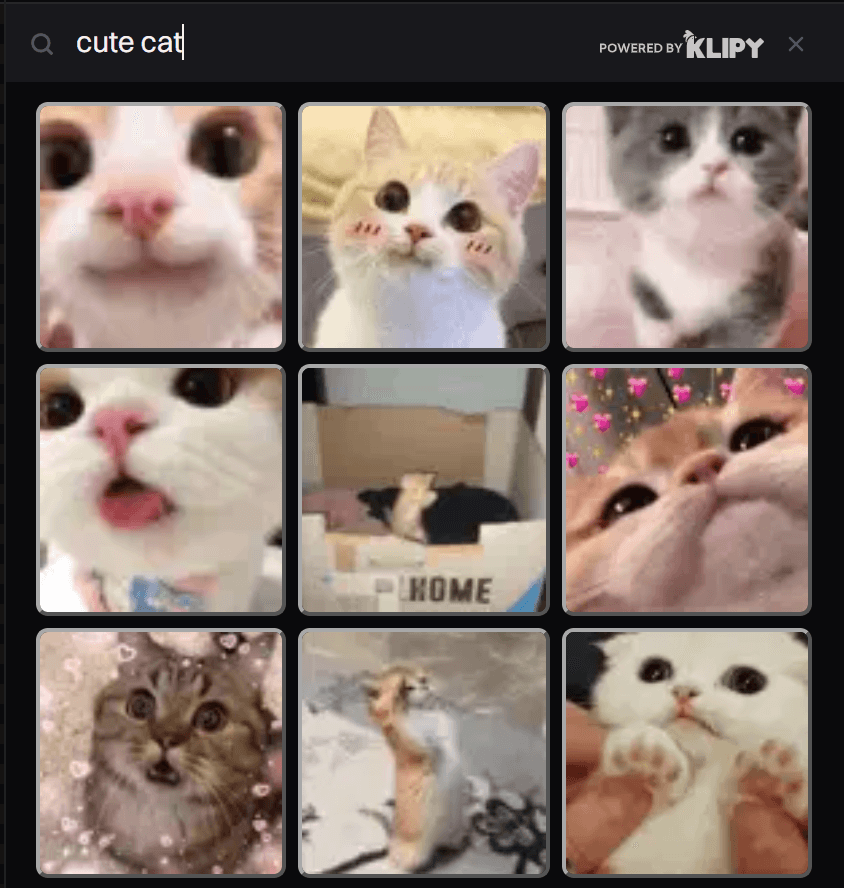
Click any result to put it on stream. Your last 8 GIFs appear under Recent.
A new GIF replaces the one on screen. GIFs play only when you click them. They cannot be set to play by themselves.
Options
| Setting | What it does |
|---|---|
| Pads on grid | How many pads show in the right panel, from 4 to 48. Extra pads scroll. |
| Trigger menu | Manual or one of the events above. |
| Pad color | The color of that pad. Reset brings back the default. |
| On/off switch | Off hides the pad and stops its trigger. The sound stays in your list. |
| Sound limit | Free: 12 sounds. Pro: up to 500. |
Tips
- Panic stop, the square button in the right panel header on the Sounds and GIFs tabs, stops every pad sound and removes the GIF at once. Music keeps playing; stop it in the Music tab.
- Drag the thin bar under the pad to make it taller or shorter. Double-click the bar to reset it.
- Pad volume is the DJ Pad slider in the Mixer.
Common problems
The pad plays in my dashboard but not on stream
Open a game first. Then open the Mixer and check DJ Pad and Master. If the Mixer is fine, follow No Sound on Stream.
My file will not upload
A sound can be up to 5 MB, as MP3, OGG or WAV. Uploads longer than 30 seconds are also refused. Shorten the file, or export it as MP3.
A join sound plays all the time
Join event plays for every viewer who enters, with no limit. For a greeting, use the Join alert instead. It can greet each viewer only once and wait between greetings.
I cannot add more sounds
The Free plan holds 12 sounds. Delete one, or see Plans and Billing.