Musical Chairs
TikTok LiveMusical Chairs Game
- 7
- Bindable actions
- 8
- Live settings
- 13
- Languages
Gameplay previewTap the speaker for sound
Your viewers race for the last chair when the music stops.
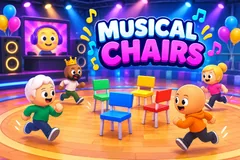
Musical Chairs puts a party on your stream: a ring of chairs on a wooden deck, a DJ booth with your face on its screen, and your viewers walking around the chairs as bobbleheads with their TikTok profile pictures as faces. Any comment joins the game. When the music stops, the big STOP card goes up and everyone types sit. The first to type it run for the nearest free chair, and whoever is left standing goes to the stands to watch. Each round has fewer chairs, until two players fight over the last one.
Fair on a real live
Sits count in the order viewers typed them, by TikTok's own time stamp, not by when the comment reached the stream, so a slow connection does not cost anyone a chair. Typing sit while the music still plays trips you, and you sit late. The music is yours: play your own songs from the Music tab and the game cuts them at every stop and picks them up again where they left off.
Gifts that change the round
Out of the box a Rose puts the sender in a spotlight that makes them bigger with every Rose, a TikTok throws tomatoes at the players, a Doughnut brings an eliminated viewer back for the next walk, a Hand Heart makes the sender the DJ who stops the music by typing stop, and a Galaxy buys a golden throne that keeps its holder safe at the next stop. Every gift shows on its sender, in the ring or in the stands.
You run the music
Let the game stop the music at random, or stop it yourself from the dock, where a Fake stop teases a STOP that is not one, so anyone who types sit too early trips. A Wins tonight board keeps the night's winners on screen, and the game plays from two viewers to three hundred.
Your chat is the controller.
Viewers take part with the gifts and comments they already send in your TikTok Live. Here is how a round of Musical Chairs plays out.
- Comment to joinAny comment puts the viewer on the ring as a bobblehead with their profile picture. Up to 300 play at once, and anyone who joins when the game is full plays the next one.
- Type sit when the music stopsThe first to type it reach the nearest free chair. Sits count by when they were typed, so a slow connection costs nothing, and typing sit while the music plays trips you.
- Fewer chairs every roundWhoever is left standing goes to the stands, the ring shrinks and the walk gets faster, until two players race for one chair in the final.
- Your music, your stopPlay your own songs from the Music tab. The game stops them at random or when you press Stop music, and a Fake stop catches anyone who sits too early.
Every trigger is yours to rewire.
Bind any action to a gift, comment, like, or follow, and set a minimum gift amount so only real support counts. Chain several triggers to one action, or point the same gift at something different. These are the actions Musical Chairs exposes, ready to bind however you run your show.
- Join the gameWalks onto the ring with the viewer's face. Any comment by defaultGiftCommentLikeFollow
- Heart hopThe viewer hops with a heart over their head. 20 likes by defaultGiftCommentLikeFollow
- SpotlightA spotlight on the sender that makes them bigger with every Rose, up to five times, with their name in large letters. A Rose by defaultGiftCommentLikeFollow
- Throw a tomatoA tomato at a player that splats on their face, up to three for a streak. A TikTok by defaultGiftCommentLikeFollow
- ComebackAn eliminated viewer walks back onto the ring at the next walk, once a game. A viewer still in gets a spare life. A Doughnut by defaultGiftCommentLikeFollow
- Become the DJThe sender's face on the booth screen for a round, and they stop the music by typing stop. A Hand Heart by defaultGiftCommentLikeFollow
- Golden throneThe holder is safe at the next stop without racing and wears a crown. A second throne covers the stop after. A Galaxy by defaultGiftCommentLikeFollow
Tune it to your stream.
Musical Chairs ships with settings you can change live, no restart. Dial these in from your dashboard while you stream.
- Language
- Thirteen languages for everything on screen and for the sit word viewers type, which works in English in every language too
- Who stops the music
- Automatic, after 8 to 20 seconds by default, or manual from the dock, with a stop by itself after 40 seconds if you forget
- Max players
- 20 to 300, 150 by default. Viewers who join when the game is full play the next one
- Viewer DJ
- How long a viewer DJ can hold the music before it stops by itself: 15 to 120 seconds, 25 by default. They stop it any time by typing stop
- Time to sit
- 3 to 10 seconds, 5 by default. Raise it if your viewers say they typed in time
- Robot players
- Robots fill the game until six viewers play, so a quiet stream still has a game. They never beat a real viewer
- Chat bubbles
- Viewers' messages over their heads, how many at once and for how long
- Appearance
- The colours of the sit word, the highlights and the panels on screen
Common questions about Musical Chairs.
How do viewers join Musical Chairs?
Out of the box any comment joins. The viewer walks onto the ring as a bobblehead with their TikTok profile picture. Every trigger can be rebound, so likes, follows or a gift can be the way in instead.
How do viewers sit down?
When the music stops and the STOP card goes up, they type sit, or the word in the stream's language. The first to type it get the nearest free chairs. Typing sit while the music still plays trips them, and they sit late.
Is it fair with stream delay?
Yes. Sits count in the order viewers typed them, using TikTok's own time stamp, so a comment that reaches the stream a little late still counts in the order it was typed. You can also give viewers more time to sit in the settings.
Can I play my own music?
Yes. Play your own songs from the Music tab. The game cuts the music at every stop and carries on from the same spot at the next walk. Pausing the music yourself during a walk counts as a stop.
What do gifts do?
By default a Rose lights a spotlight on the sender, a TikTok throws tomatoes, a Doughnut brings an eliminated viewer back, a Hand Heart makes the sender the DJ and a Galaxy buys a golden throne that keeps them safe at the next stop. A gift with no trigger of its own lights a spotlight that grows with its value.
How many viewers can play?
From two to three hundred on the ring at once, with up to 120 eliminated viewers shown in the stands. Viewers who join when the game is full play the next one.
How do I add Musical Chairs to my TikTok Live?
Add one browser source URL to OBS or TikTok LIVE Studio and go live. The game is a 9:16 vertical overlay, and there is no plugin or app to install.
How to add Musical Chairs to your TikTok Live
Set up once in your streaming software and go live. No plugin, no viewer install.
- 1Create your accountSign up for Livecade and pick Musical Chairs from your dashboard. Set your triggers and settings, or start with the defaults.
- 2Add one browser sourceCopy your overlay URL into a Browser Source in OBS, Streamlabs, or any RTMP tool. That is the only setup step.
- 3Go live and playStart your TikTok Live. Musical Chairs reacts to gifts and comments in real time, and your viewers join straight from the chat.
More games
All games