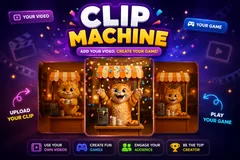
Clip Machine
TikTok LiveInteractive game
- 1
- Bindable action
- 5
- Live settings
Gameplay previewTap the speaker for sound
Bind any video to any trigger, and let your chat decide which one plays next.
Clip Machine turns your videos into the game. Instead of a scoreboard or an arena, the screen is a video: a background rotation you chose plays while nothing is happening, and every time a viewer does something you have bound, it cuts to the clip you picked for that exact trigger, plays it through once, and returns to the loop. What your chat is really doing is picking which of your videos plays next.
Any trigger, any video, thirty of them
Every row is one binding: a name, a video, an icon, and the thing that fires it. That can be a specific gift, any gift over an amount you set, a comment keyword, a follow, a share or a like, and you can add up to thirty rows. Nothing is hardcoded to gifts, which means the free actions your quiet viewers can afford get clips too, not just the paid ones.
It ships with a working game in it
You do not have to upload anything to go live with it. Clip Machine comes with a starter pack already bound across five different trigger types, plus a four-clip background rotation that shuffles so the same one never runs twice in a row. Replace any of it a piece at a time, or clear the lot and put your own videos in.
Built for a real chat, not a demo
One viewer spamming the same gift thirty times gets one clip with a count on it rather than thirty in a row, while thirty different viewers each get their own. Whoever set a clip off is credited under it with their profile picture, and an on-screen list shows who is waiting, so a viewer who paid can see their clip coming. A clip that fails to load never jams the rest.
Gifts never wait behind free triggers
Clips play one at a time, so a rush has to queue. A gift goes to the front of that queue rather than sitting behind a run of follows and likes, and if the queue is full it takes a free trigger's place instead of being thrown away. Nobody who spent coins on your stream gets skipped because the queue happened to be busy.
Your chat is the controller.
Viewers take part with the gifts and comments they already send in your TikTok Live. Here is how a round of Clip Machine plays out.
- A row is a video and a triggerName it, pick the video, pick the icon your viewers see, and choose what fires it. Up to thirty rows, each one independent, and you can change any part of a row without touching the others.
- The background is a rotation, not one loopIdle videos play shuffled and never run the same one twice in a row, so what is on screen most of your stream does not read as a single clip repeating. Add up to eight of your own.
- One clip at a time, gifts firstTriggers that arrive while something is playing wait their turn, with gifts ahead of the free ones so a paying viewer is never stuck behind a run of follows. Only the video on screen is audible, so a reaction never talks over the background.
- Your viewers can see what they can triggerThe icon you picked for each row rides in a scrolling belt on screen, so chat is looking at a menu of every clip they can set off rather than guessing. Drag it wherever you want it.
Every trigger is yours to rewire.
Bind any action to a gift, comment, like, or follow, and set a minimum gift amount so only real support counts. Chain several triggers to one action, or point the same gift at something different. These are the actions Clip Machine exposes, ready to bind however you run your show.
- Play ClipCuts to the video bound to this row, plays it once, and returns to the background loop. Add up to thirty of these, each with its own video, icon, name and trigger. Any of the six trigger types can fire oneGiftCommentLikeFollow
Tune it to your stream.
Clip Machine ships with settings you can change live, no restart. Dial these in from your dashboard while you stream.
- Idle Videos
- The background rotation, up to eight of your own videos. Shuffled so the same one never plays twice running. Leave it empty to keep the built-in pack
- Video fit
- Cover fills the frame and crops the edges, contain shows the whole video and letterboxes it. Applies to the background and the reactions alike
- Show what is up next
- Lists the viewers waiting for their clip to play, with how many rows to show
- Volume
- How loud the videos play, background and reactions alike. Sits under the Game SFX channel in the audio mixer
- Show who triggered it
- Credits the viewer under the clip with their profile picture, and a count when they sent several at once
Common questions about Clip Machine.
What actually happens when a viewer triggers a clip?
The screen cuts from your background rotation to the video you bound to that trigger, plays it through once with its own sound, and cuts straight back to the loop. There is no scoring and no round: the game is your videos, and chat is choosing which one plays.
Does it only work with gifts?
No. A row can be fired by a specific gift, by any gift over an amount you set, by a comment keyword, by a follow, by a share or by a like. The pack it ships with is deliberately bound across five different trigger types so the free ones are in play from the start.
How many clips can I have?
Thirty trigger rows, plus up to eight background videos. On the free plan three of the trigger clips can be your own uploads and the rest use the ones it ships with. Paid plans lift that, and the background rotation is never counted against it on any plan.
What videos can I upload?
MP4 or WebM. A reaction clip can run up to 15 seconds and 12 MB, and a background video up to 60 seconds and 25 MB. You can upload a file, pick one already in your library, or paste a URL to pull one in.
How do I make my own clips?
However you like: any AI video tool, or a camera on a tripod. The one rule that matters is starting every clip from the same reference image, so your character and background do not change between them. There is a guide in the docs with the exact prompt setup and settings used for the pack the game ships with, including what it cost.
Do I need to upload anything to use it?
No. It ships with a starter pack already bound and ready, so you can add it to your stream and have a working game immediately. Swap the clips out whenever you want, one at a time or all at once.
What if a viewer spams the same gift?
One viewer sending the same gift several times in a row gets one clip with a count next to their name, not the same video ten times over. Different viewers sending the same gift each get their own play, so nobody who paid is skipped.
What happens if lots of triggers arrive at once?
They queue and play out one after another rather than fighting over the screen. The queue is bounded so a huge rush cannot back the game up for minutes behind clips nobody remembers sending.
Can I move the icons off the middle of the video?
Yes. The trigger belt and the viewer credit are both drag-repositionable in the overlay preview, and where you put them is saved.
Is there background music?
No, and deliberately. Your clips carry their own audio and are the soundtrack, so a music bed underneath would fight every one of them.
How do I add Clip Machine to my TikTok Live?
Add one browser source URL to OBS or your streaming software and go live. There is no plugin to install and nothing for your viewers to download.
How to add Clip Machine to your TikTok Live
Set up once in your streaming software and go live. No plugin, no viewer install.
- 1Create your accountSign up for Livecade and pick Clip Machine from your dashboard. Set your triggers and settings, or start with the defaults.
- 2Add one browser sourceCopy your overlay URL into a Browser Source in OBS, Streamlabs, or any RTMP tool. That is the only setup step.
- 3Go live and playStart your TikTok Live. Clip Machine reacts to gifts and comments in real time, and your viewers join straight from the chat.
More party games
All party games














Other games
All games









































