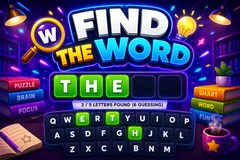
Find the Word
TikTok LiveGuess the Word Game
- 1
- Bindable action
- 10
- Live settings
- 12
- Languages
Gameplay previewTap the speaker for sound
A hidden word your whole chat races to spell out.
Find the Word turns your chat into a live word race that runs itself. A secret word sits on screen as blank tiles, and every comment is a guess: the moment a viewer types a guess that shares more of the word's start than is currently revealed, those letters flip open in green for the whole room and that guesser scores points per letter.
A gift can help, but never buy the round
Gifts push the reveal one letter further to help the crowd close in, but never uncover the final letter, so the winning word still has to be typed by somebody.
Runs itself, round after round
The first viewer to type the complete word wins the round early with a bonus, gets read aloud, and tops the round and session leaderboards, then a fresh word begins after a short break. Run it on a per-round timer or play until solved, tune the scoring, and pick from twelve languages, each with its own native bank of two thousand or more words so nothing repeats until the whole bank cycles.
Your chat is the controller.
Viewers take part with the gifts and comments they already send in your TikTok Live. Here is how a round of Find the Word plays out.
- Every comment is a guessA secret word hides as blank tiles. Any guess that matches more of the word's start than is shown instantly flips those letters open, in green, for the whole room, and scores the guesser points per letter.
- Gifts push the revealA gift uncovers one more letter to help the crowd close in, but it can never reveal the final letter. Gifts help chat along, but the winning word still has to be typed.
- First to spell it winsThe first viewer to type the complete word wins the round early with a bonus, gets read aloud, and tops the round and session leaderboards, then a fresh word begins.
Every trigger is yours to rewire.
Bind any action to a gift, comment, like, or follow, and set a minimum gift amount so only real support counts. Chain several triggers to one action, or point the same gift at something different. These are the actions Find the Word exposes, ready to bind however you run your show.
- Reveal a letterUncovers one more letter of the hidden word for everyone and credits the gifter, but never the last letterGiftCommentLikeFollow
Tune it to your stream.
Find the Word ships with settings you can change live, no restart. Dial these in from your dashboard while you stream.
- Language
- Twelve languages, each with its own native word bank
- Round mode
- A fixed countdown per round, or play until someone solves it
- Round time
- How long each timed round runs
- Seconds between rounds
- The break length before the next word
- Points per letter and completion bonus
- Points for each letter uncovered, plus a bonus for whoever completes the word
- Limit guesses per viewer
- Optionally cap how many guesses each viewer gets per round
- Leaderboards
- Show a live round board and a session board, and how many entries
- Read the winner aloud
- Text-to-speech announcement of the round winner
- Background
- Transparent, a solid color, or your own image
- Who can play
- Everyone, followers only, or your fans club only. Applies to comments and gifts
Common questions about Find the Word.
How do viewers play Find the Word?
Viewers just type guesses in your TikTok Live chat. Any guess that matches more of the hidden word's start than is currently shown instantly uncovers those letters for everyone, and the first to type the whole word wins the round.
Do viewers need to send gifts to play?
No. Guessing is free and comment-driven. Gifts uncover one extra letter to help the whole room close in, but never the final one, so gifting helps chat without ever buying the win outright.
What languages does it support?
Twelve languages, and each one has its own native word bank of two thousand or more words rather than a translation of an English list. Viewers guess in whichever language you set for the show.
How do I add Find the Word to my TikTok Live?
Add one browser source URL to OBS or your streaming software and go live. There is no plugin to install and nothing for your viewers to download.
How to add Find the Word to your TikTok Live
Set up once in your streaming software and go live. No plugin, no viewer install.
- 1Create your accountSign up for Livecade and pick Find the Word from your dashboard. Set your triggers and settings, or start with the defaults.
- 2Add one browser sourceCopy your overlay URL into a Browser Source in OBS, Streamlabs, or any RTMP tool. That is the only setup step.
- 3Go live and playStart your TikTok Live. Find the Word reacts to gifts and comments in real time, and your viewers join straight from the chat.
More word games
All word games






Other games
All games

















































