Four Pics
TikTok LivePicture Word Game
- 1
- Bindable action
- 7
- Live settings
- 13
- Languages
Gameplay previewTap the speaker for sound
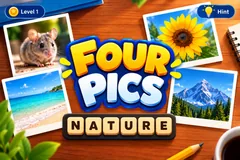
Four photos, one word. Type it in chat before the last photo turns over.
Four Pics pins four photos face down on a cork board on your stream. They flip over one at a time, all four share one word, and viewers race to type it in chat. Solve it from the first photo and it is worth 400 points; wait for all four and it is 100. The reveal tapes the word across the board and lists everyone who got it, fastest first.
784 puzzles in thirteen languages
Every puzzle is four real photos and one word, sorted into easy, medium and hard: 784 in English and more than 500 in each of the other twelve languages. Each language has its own answers, so a Spanish stream plays in Spanish and an English answer does not count there. Puzzles come up least recently shown first, so your regulars do not see a repeat until the bank has gone round.
Runs itself, with you in control
Rounds roll on their own, and a match can run all stream or end after a set number of puzzles or a target score, with a podium for the top three. From the host controls you can pin a How to play card over the board, give chat a free letter, flip the next photo early or skip a puzzle.
Your chat is the controller.
Viewers take part with the gifts and comments they already send in your TikTok Live. Here is how a round of Four Pics plays out.
- Type the word in chatFour photos flip over one at a time and they all share one word. Viewers type it in chat, and everyone who gets it scores once per puzzle.
- Fewer photos, more pointsThe points drop as each photo turns over: 400 with one photo showing, then 300, 200 and 100. A session leaderboard adds them up across every puzzle.
- Gifts reveal a letterA gift fills in one hidden letter for everyone and names the gifter on screen. It stops at 40% of the word, so the answer still has to be typed.
- Loops on its ownAfter the reveal the board clears and the next puzzle starts by itself, so you can go live and let it run.
Every trigger is yours to rewire.
Bind any action to a gift, comment, like, or follow, and set a minimum gift amount so only real support counts. Chain several triggers to one action, or point the same gift at something different. These are the actions Four Pics exposes, ready to bind however you run your show.
- Reveal a letterFills in one hidden letter of the word for everyone and names the sender on screen, capped so most of the word stays hiddenGiftCommentLikeFollow
Tune it to your stream.
Four Pics ships with settings you can change live, no restart. Dial these in from your dashboard while you stream.
- Language
- Thirteen languages. Only answers in the stream's language count
- Difficulty
- Mixed, or only easy, medium or hard puzzles
- Photo timing
- Seconds between photos, how long the last photo stays up, and how long the answer shows
- Match ends
- Never, after a number of puzzles, or when someone reaches a score
- Leaderboard
- Show the top players, three to five entries
- Background image
- Your own image or GIF behind the board
- Who can play
- Everyone, followers only, or your fans club only. Applies to comments and gifts
Common questions about Four Pics.
How do viewers play Four Pics?
Viewers type the one word the four photos share in your TikTok Live chat. The fewer photos were showing when they answered, the more they score: 400, 300, 200 or 100.
Do viewers need to send gifts to play?
No. Guessing is free. A gift reveals one letter for everyone, capped at 40% of the word, so gifting helps the room without buying the win.
Do English answers count on a non-English stream?
No. Only the stream's language counts, so a Spanish stream plays fully in Spanish. Accents are optional, so a word typed on a phone without them still matches.
Do the puzzles repeat?
Not until the bank has gone round. Puzzles come up least recently shown first for your channel, so regulars keep getting new ones.
How do I add Four Pics to my TikTok Live?
Add one browser source URL to OBS or your streaming software and go live. There is no plugin to install and nothing for your viewers to download.
How to add Four Pics to your TikTok Live
Set up once in your streaming software and go live. No plugin, no viewer install.
- 1Create your accountSign up for Livecade and pick Four Pics from your dashboard. Set your triggers and settings, or start with the defaults.
- 2Add one browser sourceCopy your overlay URL into a Browser Source in OBS, Streamlabs, or any RTMP tool. That is the only setup step.
- 3Go live and playStart your TikTok Live. Four Pics reacts to gifts and comments in real time, and your viewers join straight from the chat.
More games
All games