Word Swipe
TikTok LiveWord Puzzle Game
- 4
- Bindable actions
- 12
- Live settings
- 10
- Languages
Gameplay previewTap the speaker for sound
One ring of letters, a board of crossing words, and a chat that spells them out.
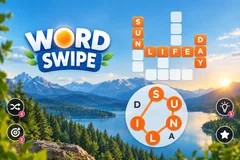
Word Swipe puts a small crossword on your stream where every answer is spelled from one shared ring of letters. Four to six words cross each other on the board, the wheel below holds the six to eight letters they all come from, and anyone watching can type a word the moment they spot it. There is no turn order and nothing to learn first: the letters are on screen, and the words are made of those letters.
The wheel is the clue
Because every word uses the same letters, each one your chat solves narrows what the others can be. A viewer who cannot see any word yet can still read the ring and try something, and a wrong guess costs nothing but a quiet blip. Guesses match with or without accents, so a word typed flat on a phone still counts.
The board keeps a record of who solved it
Every solved word fills in your accent colour and pins the solver profile picture to its end, so a finished board shows who was watching. One word carries a star and pays double, and it is never the obvious one: the star goes to the longest word that is not simply the wheel itself.
Nothing ends on a clock
A board finishes when the chat has solved every word, not when a timer runs out, so a quiet stretch never cuts a board short and a slow room is never punished. When the last word lands the board celebrates, then builds itself a fresh one a few seconds later.
Your chat is the controller.
Viewers take part with the gifts and comments they already send in your TikTok Live. Here is how a round of Word Swipe plays out.
- Type a word from the wheelEvery word on the board is spellable from the letters in the ring below it. A viewer types one in chat and it fills in, with their picture pinned beside it.
- Each solve is a clue to the restThe words share one letter set and cross each other on the board, so every answer that lands cuts down what the remaining ones can be.
- The board decides when it endsThere is no round timer. The board stays up until its last word is solved, then a new one generates a few seconds later.
- Four buttons around the wheelShuffle the ring, solve a word, uncover a single letter, or fire a rocket down a whole grid line. Each one is drawn on screen only when you have actually bound it.
Every trigger is yours to rewire.
Bind any action to a gift, comment, like, or follow, and set a minimum gift amount so only real support counts. Chain several triggers to one action, or point the same gift at something different. These are the actions Word Swipe exposes, ready to bind however you run your show.
- Solve a WordA crosshair hunts down the shortest word still hidden, locks on and fills it in, credited to whoever triggered itGiftCommentLikeFollow
- Reveal a LetterUncovers one random hidden letter somewhere on the board. If it happens to complete a word, that word solves and credits the senderGiftCommentLikeFollow
- Firework: Uncover a WordSends a rocket along the fullest row or column, uncovering every hidden letter on that line and solving any word it finishesGiftCommentLikeFollow
- Shuffle the WheelReorders the ring of letters. It changes no answers, it just gives a stuck chat a new way to look at them, and it is throttled across all viewers at onceGiftCommentLikeFollow
Tune it to your stream.
Word Swipe ships with settings you can change live, no restart. Dial these in from your dashboard while you stream.
- Language
- Ten languages, each drawing boards from its own word bank rather than a translated one
- Your word bank
- Hide, restore or add words in your language from the content manager
- Seconds between boards
- How long a finished board celebrates before the next one builds
- Seconds between guesses per viewer
- A per-viewer cooldown, or none at all, so a fast typist cannot spam the board
- Seconds between wheel shuffles
- A global throttle, not per viewer: the wheel is one shared object
- Show who solved each word
- Pins the solver picture and name to the word they got
- Show points leaderboard
- A top strip of scorers, with up to fifty entries. It scrolls only once the names stop fitting
- Game style
- Light or dark empty squares, so the board reads against whatever is behind it
- Accent and letter colour
- The colour of every solved letter, the guessed word, the star and the scoreboard, plus the letters drawn on them
- Background
- Transparent, a solid colour, or your own image behind the board and wheel
- Your sounds
- Swap any of the eleven sound effects for your own audio
- Who can play
- Everyone, followers only, or your fans club only. Applies to comments and gifts
Common questions about Word Swipe.
How do viewers play Word Swipe?
They type in chat. Every word on the board is spelled from the ring of letters below it, so a viewer reads the ring, works out a word and types it. There is no turn order and no queue, and anyone who arrives mid-board can still take the last word.
What happens on a wrong guess?
The word they typed appears briefly and fades, with a quiet blip. There are no strikes and no penalty, because the board is cooperative. You can set a short per-viewer cooldown if you want to slow down rapid guessing, but it ships with none.
Do gifts decide who wins?
No. Gifts buy help for the whole room: a letter, a word, a line of letters, or a reshuffled wheel. Every one of them is credited to the sender, but the board is solved together and the points go to whoever types each word.
Do the actions have to be gifts?
No. All four ship bound to a one-coin gift each so viewers can discover them, but any of them can be moved onto likes, follows, shares, joins or a chat keyword instead. The buttons on screen redraw to show whatever you actually set.
Is there a time limit?
No. A board ends only when every word on it has been solved, so a quiet chat is never cut off mid-board. Once the last word lands the board celebrates and a fresh one generates a few seconds later.
Do the boards ever repeat?
Boards are generated at the moment each one starts, from your own word bank, rather than drawn from a fixed set of puzzles. Four to six crossing words are laid out on a grid up to nine by ten, in well under a millisecond.
Do accents count?
A guess matches once accents are folded, so a word typed without diacritics on a phone still matches the accented spelling. Matching is otherwise exact: every word on the board comes from the same small letter set, so a typo tolerance would start matching other valid answers.
How do I add Word Swipe to my TikTok Live?
Add one browser source URL to OBS or your streaming software and go live. There is no plugin to install and nothing for your viewers to download.
How to add Word Swipe to your TikTok Live
Set up once in your streaming software and go live. No plugin, no viewer install.
- 1Create your accountSign up for Livecade and pick Word Swipe from your dashboard. Set your triggers and settings, or start with the defaults.
- 2Add one browser sourceCopy your overlay URL into a Browser Source in OBS, Streamlabs, or any RTMP tool. That is the only setup step.
- 3Go live and playStart your TikTok Live. Word Swipe reacts to gifts and comments in real time, and your viewers join straight from the chat.
More word games
All word games






Other games
All games