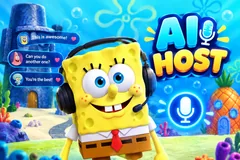
AI Host
TikTok LiveAI Co-Host
- 3
- Bindable actions
- 9
- Live settings
- 9
- Languages
Gameplay previewTap the speaker for sound
Your chat asks, the host answers out loud.
AI Host puts a talking host on your stream that reads your chat and answers it out loud. It picks the comment that makes the best moment, writes a real answer in its own voice, and says it with a face whose mouth follows every word, while the answer runs as captions under it. When chat goes quiet it asks a question to get people typing again.
Pick who hosts
Max is the host's own face, in orange or as a blue hologram, and you can rename him and pick his personality: friendly, playful, dry and witty, or high energy. Or hand the show to a character: SpongeBob, Brian, Mint, Rick, Naruto, Gojo, Shrek, Dr. Doom, CJ, the Grinch, Santa, Goku, Deadpool, Spider-Man or Mickey, each with their own way of talking, their own voice, their own music and rooms to host from, from SpongeBob's house to a New York rooftop. Put your own picture behind any of them.
Gifts get their own moments
Out of the box a Rose puts the sender's question first and a Doughnut buys a personal shoutout, and every gift is thanked by name, a rush of them in one line. Any of these can be bound to likes, follows, shares or comments instead, and new followers can be welcomed too.
You stay in charge
Press Answer this on any comment in your dashboard and the host takes it next. Give it a topic to talk about, a message to say in character, or have it ask chat a question. Tell it what the stream is about, what never to talk about and how you want it to talk. It always says it is an AI when asked, and it never asks your viewers for gifts.
Your chat is the controller.
Viewers take part with the gifts and comments they already send in your TikTok Live. Here is how a round of AI Host plays out.
- It answers chat out loudThe host picks the comment that makes the best moment and answers it in its own voice, with a talking face and the answer as captions.
- Seventeen hostsMax as the orange Ember face or the blue Hologram, or SpongeBob, Brian, Mint, Rick, Naruto, Gojo, Shrek, Dr. Doom, CJ, the Grinch, Santa, Goku, Deadpool, Spider-Man or Mickey. Each character has their own personality, voice, rooms and music.
- Gifts jump the lineA Rose puts the sender's question first, a Doughnut buys a personal shoutout, and every gift is thanked by name.
Every trigger is yours to rewire.
Bind any action to a gift, comment, like, or follow, and set a minimum gift amount so only real support counts. Chain several triggers to one action, or point the same gift at something different. These are the actions AI Host exposes, ready to bind however you run your show.
- Answer Me FirstPuts the sender's next comment at the front of the line, with the gift thanked in the answerGiftCommentLikeFollow
- Hype Me UpA longer personal shoutout that celebrates the sender by nameGiftCommentLikeFollow
- Say My NameThe host says hello to the viewer by nameGiftCommentLikeFollow
Tune it to your stream.
AI Host ships with settings you can change live, no restart. Dial these in from your dashboard while you stream.
- Language
- Nine languages: English, Spanish, Portuguese, French, German, Russian, Italian, Turkish and Arabic
- Look
- Ember, Hologram, SpongeBob, Brian, Mint, Rick, Naruto, Dr. Doom, Gojo, Shrek, CJ, Grinch, Santa, Goku, Deadpool, Spider-Man or Mickey
- Voice
- Pick any voice from the voice library for each look, or keep the look's own
- Scene
- The character's own rooms, or your own picture behind any look
- How the AI answers
- The host's name and personality, what the stream is about, what never to talk about, and your own instructions
- What it answers
- Answer chat by itself or only what you pick, thank gifts, welcome new followers, and talk when chat is quiet
- Pace
- No pause, 1, 2.5 or 5 seconds between answers
- On screen
- The answer as captions, and the "Ask me anything" line while nobody is being answered
- Who can play
- Everyone, followers only, or your fans club only
Common questions about AI Host.
How does AI Host work?
Viewers comment in your TikTok Live chat as usual. The host picks a comment, writes an answer and says it out loud with a talking face, and the answer shows as captions. You can also press Answer this on any comment in your dashboard to have it answered next.
Can I choose the character?
Yes. Max, the host's own face, comes in orange or as a blue hologram, and you can rename him and pick his personality. SpongeBob, Brian, Mint, Rick, Naruto, Gojo, Shrek, Dr. Doom, CJ, the Grinch, Santa, Goku, Deadpool, Spider-Man and Mickey each talk in their own way, with their own voice, rooms and music.
Will it ask my viewers for gifts?
No. The host never asks for gifts, coins, likes or follows, even if your instructions say to. It thanks gifts when they arrive.
Does it say it is an AI?
Yes. Asked whether it is real, the host says plainly that it is an AI.
Can I keep it off some topics?
Yes. List the topics it should never talk about, and a comment about one of them gets a short, friendly pass instead of an answer.
How do I add AI Host to my TikTok Live?
Add one browser source URL to OBS or your streaming software and go live. There is no plugin to install and nothing for your viewers to download.
How to add AI Host to your TikTok Live
Set up once in your streaming software and go live. No plugin, no viewer install.
- 1Create your accountSign up for Livecade and pick AI Host from your dashboard. Set your triggers and settings, or start with the defaults.
- 2Add one browser sourceCopy your overlay URL into a Browser Source in OBS, Streamlabs, or any RTMP tool. That is the only setup step.
- 3Go live and playStart your TikTok Live. AI Host reacts to gifts and comments in real time, and your viewers join straight from the chat.
More games
All games




















































