Christmas Tree
TikTok LiveChristmas Tree Game
- 8
- Bindable actions
- 6
- Live settings
- 13
- Languages
Gameplay previewTap the speaker for sound
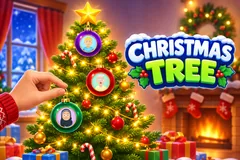
Your viewers decorate a giant Christmas tree with their faces, live.
Christmas Tree puts a tall, warmly lit tree in a cosy room on your stream and lets your viewers decorate it with their faces. A comment or a follow hangs a glass ball with the viewer's profile picture in its window, and a soft ting plays as it lands on a branch. While the line is short a hand carries each ornament in and hangs it. The camera glides slowly over the decorated branches, the newest ornament shows its name, and a counter at the top shows how full the tree is.
Gifts hang bigger ornaments
Every gift goes ahead of the viewers waiting for a free ornament, and a streak hangs one per gift, so ten Roses are ten ornaments. Out of the box a Rose hangs a glossy ball, a Finger Heart a patterned ball like candy cane stripes or antique mercury glass, a Rosa a shaped ornament like a bell, a lantern or a gingerbread house, and a Doughnut a big one like a teddy bear, a snowman, an owl or a sleigh. A Hand Heart brings a huge ornament, a crescent moon, a reindeer, a snow globe, an angel or a jewelled egg, held up at the centre of the screen with the sender's name before the hand hangs it on the tree.
The star on top
A Money Gun puts the sender's face in the star. It is the biggest moment of the game: the star is held up large at the centre, then it rides up the tree with a trail of sparkles, a hand sets it on the tip and every light on the tree flashes. The star stays through every new tree until someone else buys it, and its holder's face stays pinned at the top of the screen the whole time.
A show when the tree is full
When the tree is full it gets a show: the camera glides from the presents up to the star with every ornament showing its name, so every viewer on the tree is credited. Then the tree shakes, the ornaments fall and a fresh tree starts, and everyone still waiting hangs first on the new one. On a busy stream the show is shorter, so nobody waits long.
Your chat is the controller.
Viewers take part with the gifts and comments they already send in your TikTok Live. Here is how a round of Christmas Tree plays out.
- Comment, get on the treeA comment or a follow hangs a glass ball with the viewer's profile picture. One free ornament per viewer per tree, and a viewer who chats again makes theirs sparkle and shows their name.
- Gifts go firstEvery gift hangs ahead of the free line, one ornament per gift in a streak. A Money Gun plays next whatever is waiting, and a Hand Heart goes ahead of the smaller gifts.
- A star that staysThe top gift puts its sender's face in the star on the tip, with its own show. It stays through every new tree until someone else buys it.
- Full tree, fresh treeTwenty to a hundred ornaments a tree, sixty by default. A full tree gets a show with every name, then a shake, and a fresh tree starts.
Every trigger is yours to rewire.
Bind any action to a gift, comment, like, or follow, and set a minimum gift amount so only real support counts. Chain several triggers to one action, or point the same gift at something different. These are the actions Christmas Tree exposes, ready to bind however you run your show.
- Glass ornamentHangs a glass ball with the viewer's face, once per viewer per tree. Any comment or a follow by defaultGiftCommentLikeFollow
- Twinkle the lightsSends a wave of light down the tree with a puff of snow. 20 likes by defaultGiftCommentLikeFollow
- Glossy ballA glossy ball in one of five colours. A Rose by defaultGiftCommentLikeFollow
- Patterned ballGlitter, plaid, snowflake, candy cane, mercury glass or argyle. A Finger Heart by defaultGiftCommentLikeFollow
- Shaped ornamentA bell, a gift box, a pinecone, a lantern or a gingerbread house. A Rosa by defaultGiftCommentLikeFollow
- Big ornamentOne of nine, from a Santa hat to a teddy bear, a snowman or a rocking horse, carried in by a hand. A Doughnut by defaultGiftCommentLikeFollow
- Huge ornamentA moon, a reindeer, a snow globe, an angel or a jewelled egg, held up at the centre first. A Hand Heart by defaultGiftCommentLikeFollow
- The starThe sender's face in the star on the tip, with the biggest show of the game. A Money Gun by defaultGiftCommentLikeFollow
Tune it to your stream.
Christmas Tree ships with settings you can change live, no restart. Dial these in from your dashboard while you stream.
- Language
- Thirteen languages for the banners, the trigger labels and the "You?" invite
- Ornaments per tree
- Twenty to a hundred, sixty by default. Big gifts take more room, so a tree can fill sooner
- Show the full tree
- The show from the presents up to the star before the tree is shaken clean, on by default
- Names on ornaments
- Only on the newest ornament, or always on every gift ornament
- Greeting
- Merry Christmas, Happy New Year or none, on the full tree's banner
- Other gifts hang by their value
- A gift with no trigger of its own still hangs ornaments: 1 coin a ball, 5 a patterned ball, 10 a shaped one, every 30 a big one, every 100 a huge one, 500 the star and a huge one for every 100 more, up to five
Common questions about Christmas Tree.
How do viewers get on the Christmas Tree?
Out of the box any comment or a follow hangs their ornament, with their TikTok profile picture in it. Every trigger can be rebound, so likes, shares, joins or any gift can be the way in instead.
Can a viewer hang more than one ornament?
One free ornament per viewer on each tree, and they can hang again on the next tree. Gifts hang every time: each gift in a streak is another ornament with the sender's face.
What do gifts do?
They hang bigger ornaments ahead of the free line. By default a Rose hangs a glossy ball, a Finger Heart a patterned ball, a Rosa a shaped ornament, a Doughnut a big one, a Hand Heart a huge one with its own moment at the centre of the screen, and a Money Gun buys the star. A gift with no trigger of its own hangs ornaments by its coin value.
What happens when the tree is full?
The tree gets a show that glides from the presents up to the star with every name on its ornament, then it shakes, the ornaments fall and a fresh tree starts. Viewers still waiting hang first on the new tree, and the star stays. The host can also play the show or start a new tree from the dashboard.
Does it work for New Year?
Yes. The full tree's banner can say Merry Christmas, Happy New Year or nothing, and the game speaks thirteen languages, so it works as a New Year tree too.
Will Christmas Tree run on my PC?
It draws in 2D, so it is light on the computer running your stream, and phones load a lighter version of the tree. Try it in the dashboard preview before you go live.
How do I add Christmas Tree to my TikTok Live?
Add one browser source URL to OBS or TikTok LIVE Studio and go live. The game is a 9:16 vertical overlay, and there is no plugin or app to install.
How to add Christmas Tree to your TikTok Live
Set up once in your streaming software and go live. No plugin, no viewer install.
- 1Create your accountSign up for Livecade and pick Christmas Tree from your dashboard. Set your triggers and settings, or start with the defaults.
- 2Add one browser sourceCopy your overlay URL into a Browser Source in OBS, Streamlabs, or any RTMP tool. That is the only setup step.
- 3Go live and playStart your TikTok Live. Christmas Tree reacts to gifts and comments in real time, and your viewers join straight from the chat.
More games
All games