Blob Battle
TikTok LiveInteractive game
- 2
- Bindable actions
- 8
- Live settings
Gameplay previewTap the speaker for sound
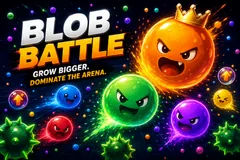
Every viewer gets a blob, last one standing wins.
Blob Battle is pure chaos in the best way. Every viewer gets their own blob, and they type commands to attack, dodge and grab power-ups.
The arena closes in
As the blob count shrinks the floor gets smaller, so a thinning field speeds up instead of dragging. The last blob standing wins and gets a live shoutout.
Your chat is the controller.
Viewers take part with the gifts and comments they already send in your TikTok Live. Here is how a round of Blob Battle plays out.
- Viewers spawn a blobAnyone who joins drops their own blob into the arena. It scales from a handful of players to hundreds, all on a fast canvas renderer.
- Feed it to growGifts and likes feed a viewer's blob so it grows bigger and harder to beat. Viruses and decay keep the biggest blobs in check.
- Last blob wins the shoutoutThe arena tightens as blobs get eliminated. The final blob standing wins the round and a live on-screen shoutout.
Every trigger is yours to rewire.
Bind any action to a gift, comment, like, or follow, and set a minimum gift amount so only real support counts. Chain several triggers to one action, or point the same gift at something different. These are the actions Blob Battle exposes, ready to bind however you run your show.
- Join the arenaAdds the viewer's own blob to the battleGiftCommentLikeFollow
- Grow blobFeeds the viewer's blob so it grows bigger and strongerGiftCommentLikeFollow
Tune it to your stream.
Blob Battle ships with settings you can change live, no restart. Dial these in from your dashboard while you stream.
- Round mode
- Endless play or a fixed countdown, with a round duration
- Starting blob size
- How big each blob spawns
- Max blobs
- Cap on how many blobs share the arena at once
- Growth per gift and per like
- How much size a blob gains from each gift coin and each like
- Viruses and decay
- Hazards that split big blobs, plus a passive shrink so no one runs away with it
- Leaderboard
- Show a live top-blobs board, and how many entries
- Auto-spawn filler blobs
- Keep the arena busy when few viewers are playing, on an interval you set
- Background
- Transparent, a solid color, or your own image
Common questions about Blob Battle.
How do viewers join Blob Battle?
Viewers join straight from your TikTok Live chat and get their own blob in the arena. It works for any audience size, and more players just make the battle bigger.
Do viewers have to send gifts to play?
No. Joining is free and comment-driven. Gifts and likes feed a blob so it grows, which is what rewards gifting during a round, but anyone can take part.
Can I change what grows a blob?
Yes. Every trigger is rebindable, so you decide whether gifts, likes, comments, or follows feed a blob and how much size each one adds.
How do I add Blob Battle to my TikTok Live?
Add one browser source URL to OBS or your streaming software and go live. There is no plugin to install and nothing for your viewers to download.
How to add Blob Battle to your TikTok Live
Set up once in your streaming software and go live. No plugin, no viewer install.
- 1Create your accountSign up for Livecade and pick Blob Battle from your dashboard. Set your triggers and settings, or start with the defaults.
- 2Add one browser sourceCopy your overlay URL into a Browser Source in OBS, Streamlabs, or any RTMP tool. That is the only setup step.
- 3Go live and playStart your TikTok Live. Blob Battle reacts to gifts and comments in real time, and your viewers join straight from the chat.
More battle royale games
All battle royale games



Other games
All games